The Work
Start with the question at the equipment
The interface centers the work on the asset. A technician looking at an alarm should be able to navigate to the relevant equipment, run a report, and reach the parts reference without reconstructing the context in another application. That workflow shaped the reporting and navigation decisions.
I added a Layout Manager rather than reproducing the original arrangement unchanged. A custom native docking engine supports workspaces and panel zones, with layout save and restore. The point is to keep the views needed for a particular task together. Some catalog entries still require migration into the native workspace.
The parts integration makes a reference of 104,362 records across 3,654 equipment numbers available within the troubleshooting workflow. A technician can use the equipment context to reach the relevant lookup without starting a separate search.
Connect graphics, alarms, and records
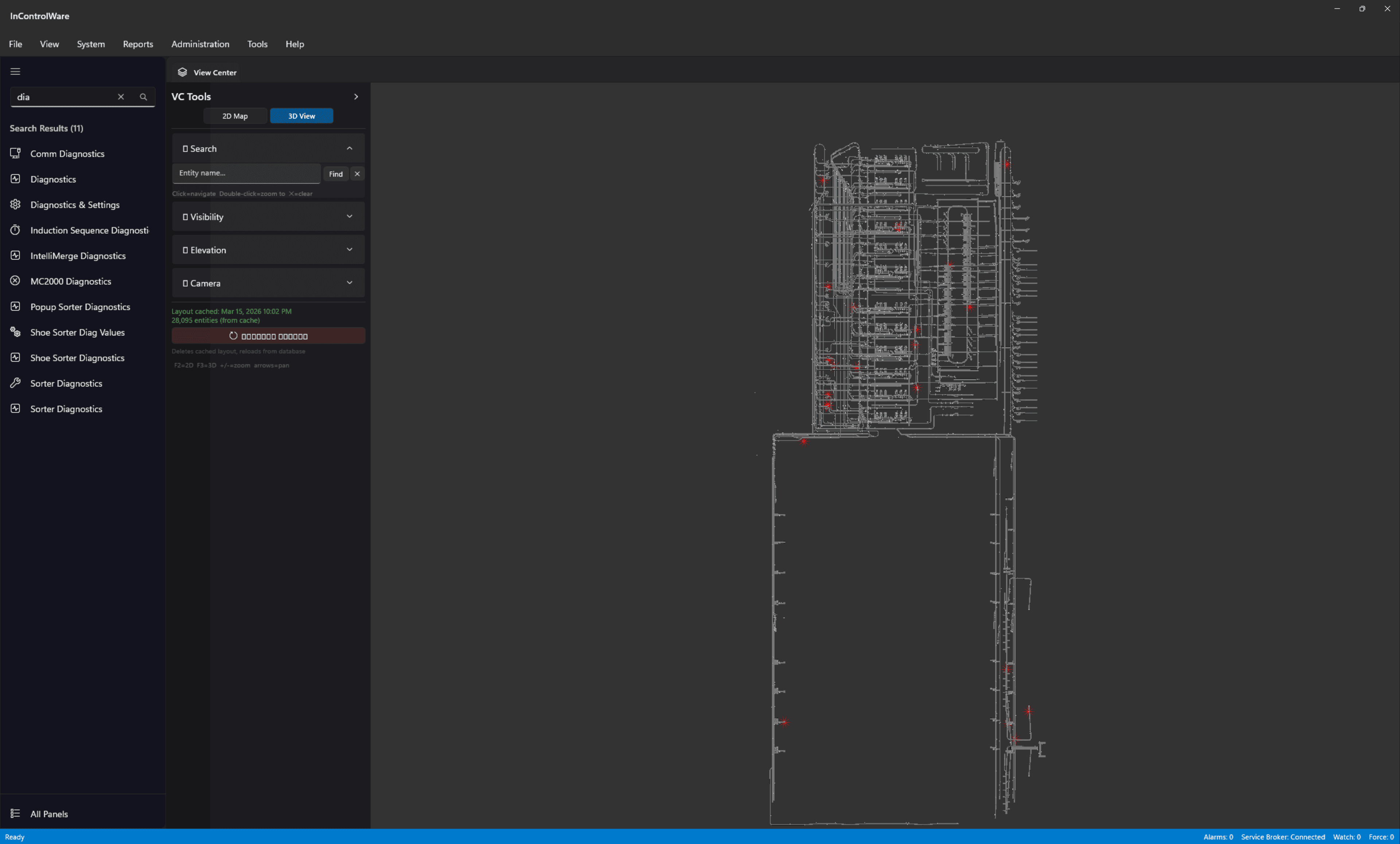
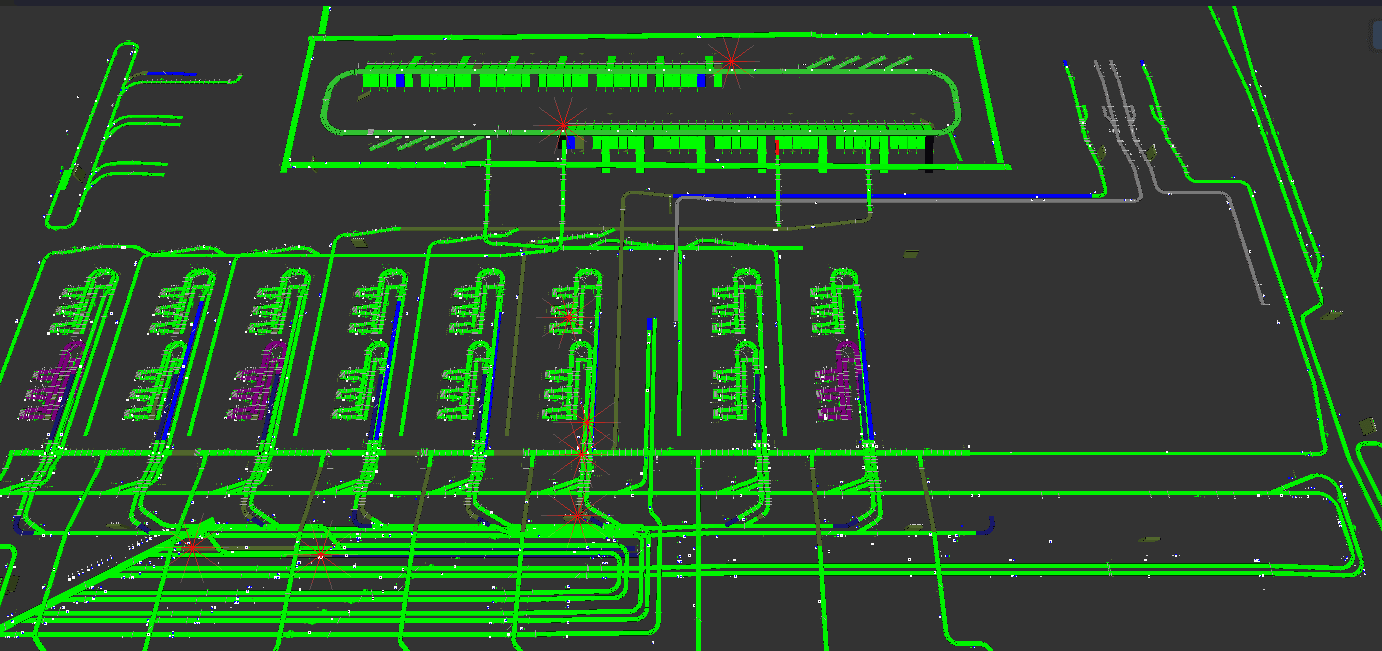
The application uses C#, .NET 8, WinUI 3, SQL Server, and a D3D11 renderer. The 3D view handles 5,740 conveyor segments with live equipment color updates, alarm overlays, device markers, and hover information. Native alarm triage and SQL-backed panels provide other views of the same operation.
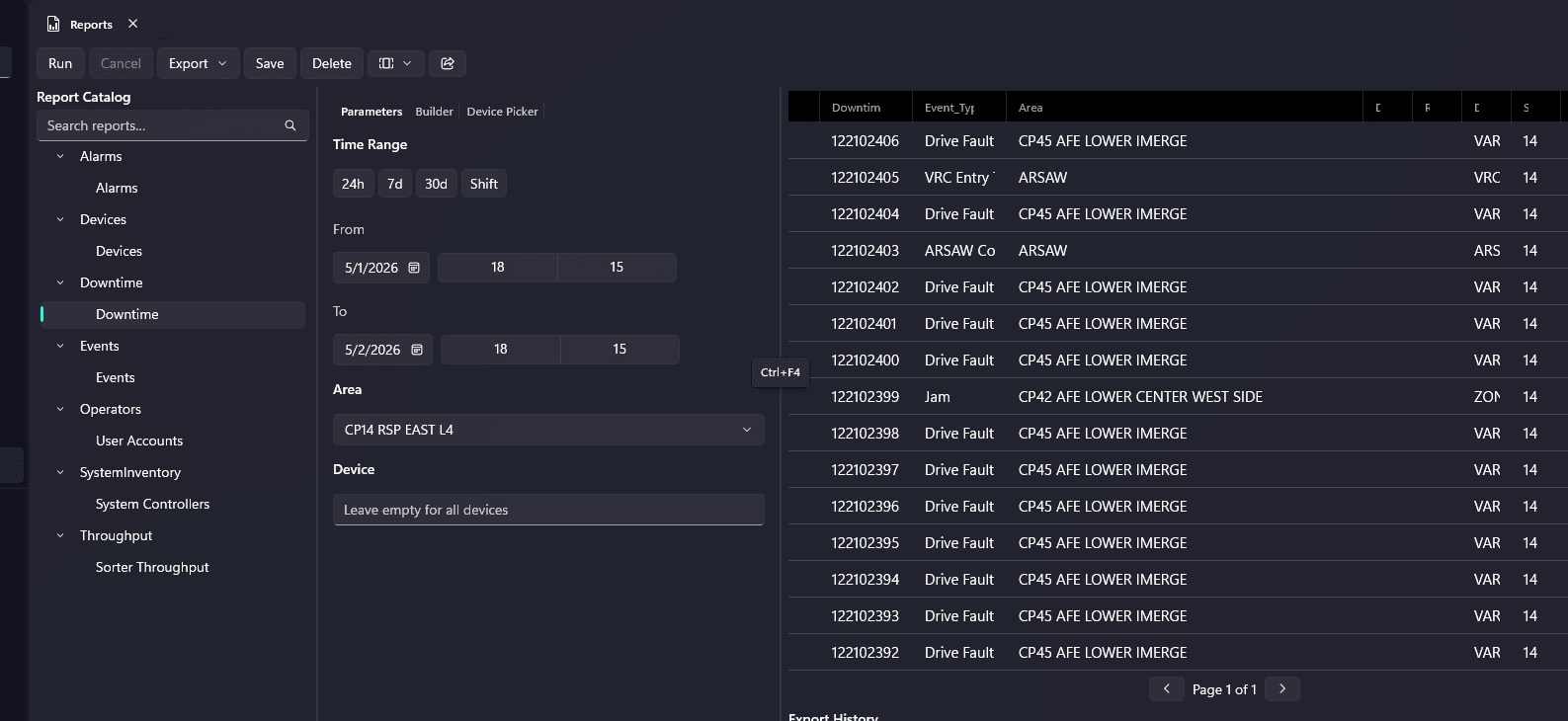
Reporting work brings a searchable catalog, time-range parameters, area and device filters, results, and export controls into the workspace. The reports use the operational schema for events, downtime, alarms, devices, and sorter statistics. The reporting view places the catalog and filters alongside populated downtime rows.
Respect the legacy dependencies
A modern interface does not make the legacy communication layer disappear. The architecture uses a separate host process for legacy remoting because initializing it inside the WinUI process could disrupt the compositor. The host passes equipment and sorter data to the native interface while keeping that dependency separate from rendering. Transitional legacy-panel hosting remains distinct from the native WinUI implementation.
Each panel also needs the correct data path. A SQL-backed display or an online-status check cannot replace a live control function simply because the screens look similar. I compared panel behavior with the original system and tracked the remaining data and control dependencies as part of the migration.
| Workstream | What I built | Integration requirement |
|---|---|---|
| Workspace | Custom native Layout Manager with docking, save, and restore | Complete migration of the required panels into the native workspace |
| Equipment rendering | D3D11 view of 5,740 conveyor segments with live colors and overlays | Align live equipment updates with the rendering lifecycle |
| Reporting and parts | Parameterized SQL-backed reports and contextual lookup across 104,362 reference records | Connect report parameters and asset context to the operational schema |
| Legacy communication | Separate host process to protect the WinUI rendering process | Maintain process isolation and verify the required live control behavior |
At a glance
What the prototype demonstrates, and what remains
- Implemented in the prototype
Native docking and saved layouts, D3D11 equipment rendering, alarm triage, SQL-backed reporting, parts lookup, and process-isolated legacy communication.
- Still to migrate or validate
Required native panels and their live data and control paths need further integration and testing before production approval.
Development is paused while the required panels and live control paths await engineering review.
Manage the work as dependent workstreams
I coordinated phased work across rendering, data access, reports, and panel migration. I kept task ownership, architecture decisions, test records, and handoffs in version control so changes in one area could be checked against the others. That coordination mattered because a report, an equipment view, and a control panel needed to retain the same asset context.
Validation included reporting integration tests and runtime checks of key components. Reviews also covered event cleanup, theme resources, accessibility, and asynchronous view lifecycles. I tracked the remaining issues alongside the implementation work to keep integration requirements visible before production review.
THE DELIVERABLES
What I delivered
- Modern workstation prototype with custom workspaces and Layout Manager
- 3D equipment view, alarm triage, and process-isolated legacy communication
- Reporting interface and contextual parts integration
- Architecture decisions, feature audits, test records, and handoffs
A CLOSER LOOK
Project exhibits
Bringing the conveyor layout into view
The prototype's 3D view brings conveyor geometry and asset markers into one scene.
Bring report parameters and results together
The reporting workspace puts the catalog, time range, and area and device filters beside the result table. This view shows the Downtime report selected with populated rows.
THE OUTCOME
Where the work stands
The working components demonstrate an integrated approach to maintenance troubleshooting. Development remains paused pending engineering review and production approval.
SCOPE AND LIMITATIONS
What the work establishes
The application does not yet reproduce all legacy features.
Remaining panels need validation against their required live data and control behavior.
Estimated efficiency gains are conditional on approval and adoption.